


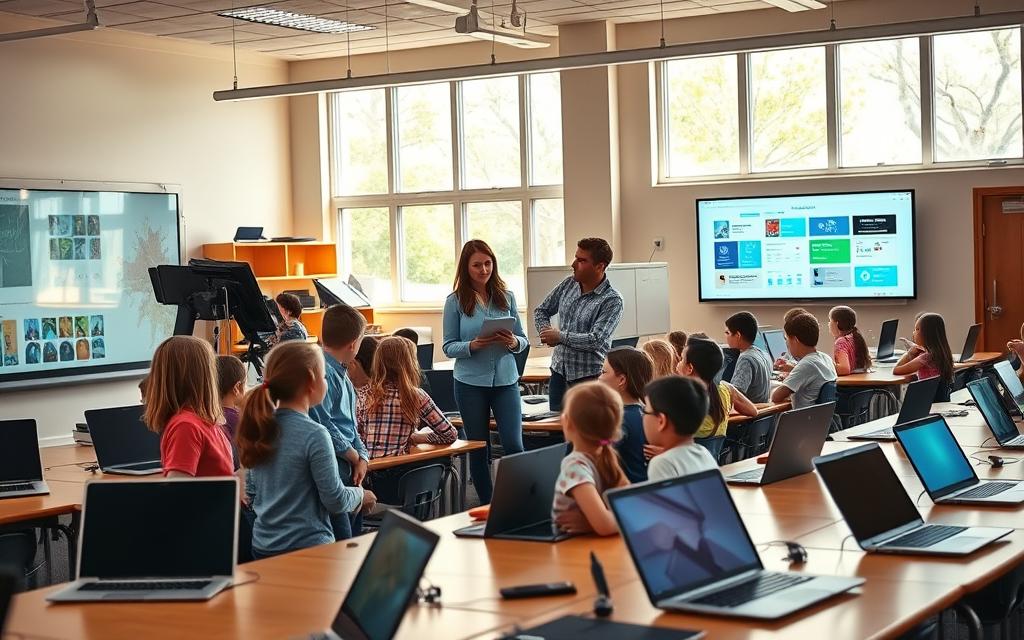
Today’s primary education needs a careful use of elementary classroom technology. Our youngest students must have a strong digital learning foundation to succeed in our tech-filled world.
Teachers often struggle with tech issues, like the “kindergarten whack-a-mole” problem. They spend too much time fixing tech problems instead of teaching. This shows how important it is to plan well.
Just putting devices in kids’ hands isn’t enough. We need to create learning experiences that are right for their age. These experiences should help them learn both tech skills and new knowledge.
This article will give you a clear plan for engaging young learners with technology. We’ll look at ways to turn tech into tools for learning, not just distractions.
Learn how structured digital activities can make learning meaningful. They help kids develop the tech skills they need from a young age.
Understanding the Importance of Technology in Primary Education
Technology is now a key part of primary education. It gives young students the tools they need to thrive in today’s digital world. It helps them learn now and prepare for the future.
Key Benefits for Young Learners
Technology brings many benefits to students. It makes learning fun and effective in ways old methods can’t.
One big plus is boosting creativity. Kids can express themselves through digital tools like drawing and programming. This makes learning fun and meaningful.
Related Posts:
- How Technology Will Impact Education The Future of Learning

- How to Find the Technologies Used in a Website Tools…

- What Is Moonshot Technology Ambitious and…

- How to Remove Intel Rapid Storage Technology A Safe…

- What Are the Mobile Technologies From 5G to NFC and Beyond

- What Is Semantic Technology Understanding Data…

Teaching digital skills for children is also vital. Students learn to use devices wisely and stay safe online. These skills are essential for their future.
Technology also helps tailor learning to each student. Software can adjust to their level, giving them the right challenge. This meets the needs of all students in one class.
Another big plus is keeping students engaged. Interactive content grabs their attention better than old-fashioned materials. It makes learning fun and memorable.
Aligning with Technology Goals
Using technology well means planning carefully. It should support learning, not get in the way. The goal is to use it in a way that enhances traditional teaching.
Curriculum alignment is key. Teachers should pick tools that match what students need to learn. This keeps the focus on learning, not just using tech for its own sake.
Technology should add to, not replace, good teaching. It works best when it supports hands-on learning and group work. This keeps learning social and interactive.
Experts at the University of the Cumberlands say it’s about building a strong tech base. They stress the importance of both immediate and future learning goals.
Having clear tech goals helps see if it’s working. Teachers might aim to improve digital skills or help struggling readers. Regular checks ensure tech is doing its job.
How to Use Technology in Elementary Classroom: A Practical Framework
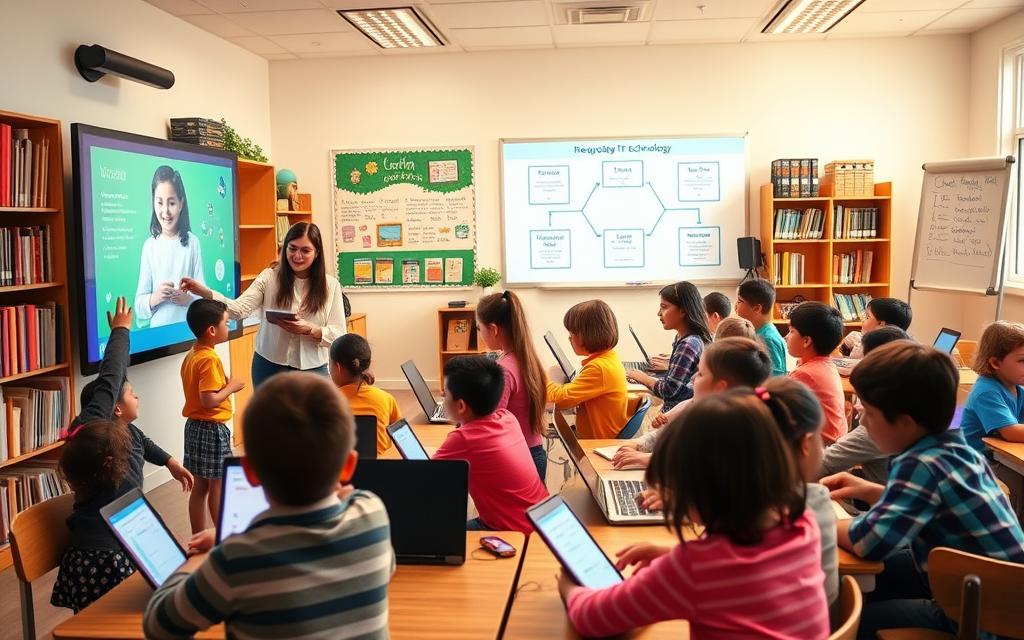
Using technology in the classroom needs a clear plan. Start by understanding your classroom’s unique needs. This guide helps teachers through three key steps: assessing, choosing, and using technology.
Evaluating Your Classroom’s Needs
First, do a detailed check of what technology your classroom needs. Look at your students’ digital skills and what they don’t know yet.
Focus on these important areas:
- Student digital skill baseline measurements
- Curriculum objectives requiring technological support
- Existing hardware and software resources
- Physical classroom layout and connectivity
- Time available for technology integration
This step helps find out where technology can help with learning. It makes sure tools are used for learning, not just for fun.
Choosing Suitable Digital Tools
Choosing the right technology is key. Match tools to what you want students to learn. Think about how useful and easy to use they are.
Interactive Whiteboards like SMART Board
Interactive whiteboards make teaching exciting. SMART Board technology lets teachers show multimedia and get everyone involved.
These tools help different learning styles. They’re great for showing ideas and getting students to join in.
Tablets with Apps like BBC Bitesize
Tablets offer learning that fits each student. BBC Bitesize has lessons that match what students need to learn.
These tools help students learn at their own speed. They get feedback right away.
| Tool Type | Primary Use | Key Benefits | Implementation Considerations |
|---|---|---|---|
| Interactive Whiteboards | Whole-class instruction | Enhances visual learning, promotes collaboration | Requires teacher training, fixed installation |
| Tablets with Educational Apps | Individualised learning | Personalised pace, immediate feedback | Device management, app curation needed |
| Learning Management Systems | Organisation & tracking | Centralises resources, monitors progress | Setup time required, data privacy important |
| Game-Based Learning Platforms | Skill practice | Increases engagement, makes learning fun | Balance needed between play and learning |
Developing an Implementation Plan
Creating a good plan for using technology is essential. It should show how to introduce it slowly, train staff, and set rules for use.
Good plans include:
- Phased rollout schedule with clear milestones
- Professional development sessions for educators
- Student digital citizenship guidelines
- Technical support and troubleshooting procedures
- Assessment methods to measure effectiveness
Start with teacher-led activities to help students learn digital skills. Then, let them use technology on their own.
Make sure there are clear rules for using technology. This helps avoid confusion and keeps learning focused.
Top Digital Tools for Engaging Elementary Students
Choosing the right digital tools can make your classroom exciting. These tools grab kids’ attention and support different learning styles. They also meet various learning goals.
Learning Platforms for Organisation
Digital organisation platforms make learning smooth. They keep students and parents in the loop. These systems link classroom work to home learning easily.
Using Seesaw for Portfolios
Seesaw changes how kids share their learning. It lets students build digital portfolios to show their growth.
Students can add photos, videos, and drawings to their portfolios. Teachers give feedback right away. Parents get to see how their child is doing. It’s easy for kids to use.
Using Seesaw digital portfolios helps students feel more in charge of their learning. It gives them a real audience for their work. This boosts their motivation and pride in their achievements.
Interactive and Game-Based Resources
Game-based learning tools make lessons fun. They keep students engaged and help them learn important concepts.
Kahoot for Interactive Quizzes
Kahoot makes quizzes fun for everyone. Teachers create quizzes that students answer on their devices.
This approach gets even shy students involved. It shows right away who needs more help. It keeps the mood fun and light.
Using Kahoot for elementary students encourages teamwork and friendly competition. The bright colours and sounds make quizzes something kids look forward to.
Scratch Jr for Creative Coding
Scratch Jr teaches coding through fun stories. Kids use blocks to make animations and games.
This method makes coding easy to understand. It helps kids solve problems and be creative with digital projects.
The platform shows how Scratch Jr coding for kids builds important tech skills. It teaches kids to think logically and keep trying in a supportive space.
These tools are just a few examples of great resources out there. Each one has special benefits for teaching and learning.
Effective Techniques to Captivate Young Minds
Using digital tools is just the start. The real magic happens when teachers use special techniques. These methods turn screen time into active learning that excites young students.
Incorporating Gamification Elements
Gamification adds game-like elements to learning. It makes students want to participate and succeed. This taps into their natural competitive and reward-seeking sides.
Effective gamification in primary classroom settings have three main parts:
- Points and badges: Students get rewards for their work and skills
- Progress tracking: They see how far they’ve come
- Leaderboards: Friendly competition keeps them motivated
Studies show that game-based learning boosts dopamine in the brain. This makes learning fun and memorable for kids.

Fostering Collaboration with Technology
Modern collaborative technology tools let students work together, even from afar. These tools help build teamwork skills and cater to different learning styles.
Good collaborative activities include:
- Group research projects on shared documents
- Peer editing and feedback sessions
- Virtual brainstorming activities
- Class-wide discussion boards
Tools like Flip (formerly Flipgrid) let students make short videos. This encourages everyone to share their thoughts, helping shy students speak up.
Utilising Padlet for Shared Projects
Padlet is a digital bulletin board for real-time collaboration. It’s simple and visually appealing, making it a top choice for collaborative technology tools.
Teachers can use Padlet for education in many ways:
- Creating shared knowledge banks for research
- Building class collections of creative work
- Developing timelines for history
- Gathering student questions or ideas
Padlet is easy for kids to use. They can add text, images, videos, or links with little help. Its flexibility makes it great for all subjects and projects.
Teachers should set clear rules for digital behaviour and contribution. This helps students work well together and learn about digital citizenship.
Over Common Obstacles in Technology Integration
Technology brings many benefits to elementary education. Yet, many teachers face challenges when using digital tools in class. They need good strategies and solutions to make sure technology helps learning, not hinders it.
Managing Screen Time and Digital Behaviour
Good digital behaviour management starts with clear rules and routines. Teachers should mix screen time with traditional learning activities.
Here are some tips for managing screen time in school:
- Set time limits for digital activities
- Use visual timers to track screen time
- Follow the “20-20-20 rule” for eye breaks
- Make tech-free zones and times
Digital citizenship lessons are key. They teach students about online privacy, respect, and critical thinking.
| Challenge | Prevention Strategy | Intervention Approach |
|---|---|---|
| Excessive screen time | Scheduled breaks and varied activities | Gentle reminders and alternative tasks |
| Digital distractions | Website blockers and focused apps | One-on-one conferences about focus |
| Inappropriate use | Clear guidelines and supervision | Restricted access and parent communication |
| Technical difficulties | Regular maintenance and backups | Troubleshooting protocols and support |
Ensuring Inclusivity and Access for All
Inclusive technology access is vital for fair learning. Schools must plan for different backgrounds and needs.
Sharing devices is a good solution for limited resources. This way, many students can use technology without needing their own devices.
Assistive technologies are key for diverse learners. Tools like text-to-speech software and adjustable displays help different abilities and learning styles.
Choose digital tools that engage, represent, and express in many ways. This Universal Design for Learning helps all students, but supports those with special needs more.
Technology should be a bridge, not a barrier, to learning. Used wisely, digital tools can make education fairer for all students.
For inclusive technology access to work, schools must keep improving. Regularly check if students and families have devices and internet at home. Then, create support based on their needs.
Evaluating the Success of Your Technology Use
Starting to use technology in your classroom is just the first step. The real success comes from checking how it helps students learn and stay interested. This ongoing check makes sure your tech use stays effective and meets your students’ needs.

Monitoring Student Engagement and Progress
To really see if students are engaged, you need to use different ways to check. Tools like Google Classroom and Seesaw have built-in stats that show how students are doing. These numbers tell you a lot about how students use digital tools.
But, don’t forget the importance of what teachers see. Look for signs that students are really into the tech activities. Are they working well together? Do they seem excited to learn? These signs are just as important as the numbers.
Tools like edurubricons let students check their own tech skills and understanding. These visual guides help students see how far they’ve come. They can rate their tech comfort and how well they get the material.
Tools like Socrative and Kahoot give quick feedback on what students get. These tools make checking understanding fun and give you useful data on the whole class.
| Assessment Method | Primary Purpose | Implementation Frequency | Data Type Collected |
|---|---|---|---|
| Platform Analytics | Track participation metrics | Weekly review | Quantitative engagement data |
| Teacher Observation | Evaluate qualitative engagement | During each session | Behavioural and interaction notes |
| Edurubricons | Student self-assessment | End of unit/project | Reflective skill evaluation |
| Real-time Tools (Socrative) | Immediate comprehension check | As needed during lessons | Formative assessment data |
Collecting and Acting on Feedback
Getting good feedback on your tech use is key to getting better. Kids can give great insights if you ask the right questions. Using tools like Google Forms or Mentimeter makes asking for feedback fun and easy.
Make sure to ask for feedback often, through class talks or online boxes. Ask which tech tools they like best and which help them learn. Use language they can understand and answer.
When you look at feedback, look for patterns, not just single comments. If many students struggle with a tool, think about extra help or other options. Good feedback on certain activities means you’re doing something right.
Using feedback shows students their opinions count in their learning space. When you change things based on what they say, tell them why. This builds a strong classroom community and shows tech is for their benefit.
Keep track of your feedback and results to see how you’re improving. This helps you get even better at using tech in your teaching.
Conclusion
Classroom technology makes learning fun and interactive for kids. Teachers who know how to use digital tools create exciting classrooms. This helps students do well in school.
Starting the journey to teach kids about technology is all about planning and choosing the right tools. Tools like Google Classroom and Kahoot! help keep things organised and encourage teamwork. These tools teach important skills that students will use for years to come.
Teachers are key in getting students ready for the future. By using technology in class, they teach kids how to read and understand digital information. This helps students become confident and ready to face the digital world ahead.
FAQ
Why is integrating technology important in primary education?
Technology is key to prepare students for the digital world. It boosts digital skills, creativity, and engagement. It also makes learning more personal. This helps young learners get the skills they need early on.
How can technology be aligned with curriculum goals?
Technology should support, not replace, traditional teaching. Choose tools that match specific learning goals. For example, use BBC Bitesize for lessons or Scratch Jr for coding. This ensures technology helps, not hinders, learning.
What are some practical steps for evaluating classroom needs before introducing technology?
First, check students’ current skills and what resources you have. Think about device access, internet, and tool suitability for your students. This step ensures technology meets real needs and supports learning goals.
Which digital tools are most effective for engaging elementary students?
SMART Board whiteboards engage the whole class. Apps like Kahoot make learning fun with quizzes. Seesaw lets students create digital portfolios, and Scratch Jr teaches coding through stories. These tools make learning interactive and fun.
How can gamification improve learning in an elementary classroom?
Gamification uses points, badges, and leaderboards to make learning fun. It boosts participation and reinforces good behaviour. It also helps develop skills by giving immediate feedback and a sense of achievement.
What strategies help manage screen time and promote responsible digital behaviour?
Set clear screen time rules and mix online and offline activities. Teach digital citizenship and use tools with time limits. Encourage students to reflect on their digital habits, like with edurubricons.
How can educators ensure technology is inclusive and accessible to all students?
Share devices and use assistive technologies. Choose tools that engage all learners. Focus on resources for different needs and abilities, and reduce barriers for all students.
What methods are effective for monitoring student progress with technology?
Use analytics, teacher observations, and tools like edurubricons. Regularly check data on engagement and skill development. This helps see how technology impacts learning and guides teaching.
How can collaboration be fostered using technology in the classroom?
Tools like Padlet support brainstorming and co-creation. Seesaw helps with sharing and feedback. Collaborative apps promote teamwork and problem-solving, creating a supportive learning environment.
What should be considered when developing an implementation plan for classroom technology?
Start by introducing tools gradually with clear instructions. Align technology with learning goals. Train staff, set usage expectations, and plan for ongoing support. A careful plan ensures technology is integrated smoothly.
